

Download the server on the download page (m2o-server.zip) and unpack it anywhere:
m2o-server/
  m2o_panel.exe       the admin panel (runs the server)
  m2o_server.exe
  m2o_server.ini      settings
  resources/          resources
    basic-rp/         roleplay: accounts, characters, chat commands
    freeroam/         free roam without accounts
    vehicles-demo/    an example of server cars
  data/               resource data (created by itself)
  docs/scripting.md   the scripting API
  README.txt
Edit m2o_server.ini (below), run m2o_panel.exe (it starts the server and gives you the
admin panel; m2o_server.exe also runs alone), open the port, and connect from the
launcher: on the same PC add 127.0.0.1:27015 to favorites.
m2o_server.ini
All the server's settings with their defaults. A line starting with ; is a comment (switched off).
[server]
name=My server              ; the name in the server list
key=m2o_...                 ; from mafiam.com/account (without one: local mode)
port=27015                  ; UDP port players connect to
edition=de                  ; de = Definitive Edition
maxPlayers=128              ; player slots (up to 1024)
maxPerAddress=16            ; connections from one IP address
tags=RP,Cars,Mafia          ; tags in the server list, comma-separated (up to 8)
;discord=https://discord.gg/your-invite
streamRadius=200            ; how far players see each other and cars, metres
maxStreamedPlayers=300      ; how many of the nearest players each player sees at once

[world]
season=summer               ; summer (the 50s) or winter (the 40s)
traffic=on                  ; cars and pedestrians in the streets
police=off                  ; police patrols and wanted levels
;time=21:30                 ; the time of day for everyone (unset: the game's own)
timeScale=1                 ; game minutes in a real minute (30: a day in 48 min, 0: stands still)

[settings]
;devAutoLogin=1             ; your own values for scripts

[resources]
start=basic-rp              ; resources to start, comma-separated

[groups]
;moderator = players, kick  ; group = permissions, * = all of them
;admin = *

[admins]
;Vito = admin               ; player name = group, given when they join

[database]
;mysql=mysql://user:[email protected]:3306/database   ; empty: SQLite per resource

[http]
;allow=discord.com, api.example.com   ; hosts scripts may send http.request to

[master]
enabled=on                  ; on the public server list at mafiam.com
;host=my.domain.com         ; the address players should use
What each setting does
| Setting | Default | What it does |
|---|---|---|
key | none | The server's key from mafiam.com/account. Without one the server is in local mode: see below. |
name | MafiaM server | The server's name in the launcher and on mafiam.com/servers. |
port | 27015 | The UDP port players connect to. Open it in the firewall (see below). |
edition | de | The game's edition: de (Definitive Edition) or classic. Players with the other edition can't join. |
maxPlayers | 128 | Player slots, up to 1024. The launcher shows how many are taken: 12 / 128. |
maxPerAddress | 16 | How many may connect from one IP address: raise it for a LAN party or test bots, lower it against one person taking many slots. |
tags | none | Up to 8 tags, comma-separated: RP,Cars,Mafia. Shown under the server's name in the launcher and in the public list, so players find the kind of server they want. |
discord | none | Your Discord invite. Everyone playing on the server gets a button to join it in their Discord status. |
streamRadius | 200 | How far, in metres, players see each other and cars (50 to 1000). Less is lighter for the server and the network, more lets players see further. |
maxStreamedPlayers | 300 | How many of the nearest players each player sees at once (10 to 1024). More costs players' FPS and traffic: 300 in view is about 45 FPS on a mid PC. |
season | summer | summer (the 1950s) or winter (the 1940s). Players load it when they join. |
traffic | on | Cars and pedestrians in the streets: on / off. |
police | off | Police patrols and wanted levels: on / off. |
time | none | The time of day for everyone, HH:MM. Unset: each game keeps the weather template's own. Scripts: world.setTime. |
timeScale | 1 | How fast the day goes: game minutes in a real minute. 1 = real time, 30 = a day in 48 minutes, 0 = the clock stands still. |
[settings] | Any values of your own; scripts read them with settings.get("name"). basic-rp's devAutoLogin=1 lets accounts in without their password — for testing only. | |
start | Resource folders under resources/ to start, comma-separated. Two game modes come with the server: basic-rp (roleplay with accounts and characters) and freeroam (no accounts). | |
[groups] | admin = * | Groups and their permissions, comma-separated; * is all of them. See Admins below. |
[admins] | Player name = group, given when that player joins. | |
mysql in [database] | empty | Scripts' db.* works out of the box with an SQLite file per resource (data/<resource>.db). Set a MySQL / MariaDB address to share one database between all resources and your website. Special characters in the password as %XX: @ is %40. |
allow in [http] | nothing | Hosts scripts may send http.request to, comma-separated: *.example.com for subdomains, * for any. |
enabled in [master] | on | Whether the server appears on the public list (below). |
host in [master] | empty | The address players should use when it differs from this PC's public IPv4: a domain or a playit.gg tunnel. |
Server key and local mode
A server open to the internet needs a key. Get one at mafiam.com/account (log in or sign up,
Add server) and put it in m2o_server.ini, or paste it in the admin panel (Settings):
[server]
key=m2o_0123456789abcdef0123456789abcdef01234567
The server trades it for a ticket from mafiam.com when it starts and renews it every hour. Players' games check the
ticket before they join: it has to be for the address they dialed and allow the server's slots. Your plan decides how
many slots that is (maxPlayers above it is cut down to it, the console says so).
Without a key the server runs in local mode: only players from the same computer, the same local network or a VPN for friends (Radmin, Hamachi, ZeroTier) can join, 8 at most, and it isn't on the public list. That's enough for making and testing a mode. A key the site doesn't know stops the server at once (check it, or make a new one in your account). Keep the key secret: it's your server's name on mafiam.com. Leaked? Make a new one: the old one stops working.
Players are known by their license (player:getLicense()): their game proves it with a key of its own,
so bans and saves can't be dodged or stolen by taking another name. ban bans the name, the IP and the license.
Warnings, kicks and bans also go to mafiam.com under the player's license: servers on a plan with the history see what a
player did on other servers in the admin panel (Players → a player → On other servers).
Command line
These override m2o_server.ini: --port 27016, --name "My server",
--edition de|classic, --season summer|winter, --traffic on|off,
--police on|off, --master on|off.
DLC packs: your own models, cars and textures
A server can change the game's files for its players and add new ones: a retextured car, a new character,
another blip icon, a changed game table. Put them in dlcpacks/ next to m2o_server.exe,
one folder per pack, with the same paths the game uses:
dlcpacks/
  mycity/
    sds/cars/smith_v8.sds          replaces the game's pc/sds/cars/smith_v8.sds
    sds/traffic/my_gangster.sds    a new model: player:setSkin("traffic/my_gangster")
    game_edit/tables/...           replaces a file of the game's EDIT/tables
When a player presses Play, the launcher downloads the server's packs first (with a progress bar), keeps them for next time and only fetches what changed. The game then loads them like its own DLC: a file with the game's path replaces the game's, a new one is added. Nothing in the player's game folder is changed, and on another server the game is as it was.
- Pack names: letters, digits,
_and-. - Packs are read when the server starts: restart it after changing them. Players get the change the next time they start the game.
.sdsfiles are made with the community's Mafia II tools (for example Mafia Toolkit).- New cars (
sds/cars/<name>.sds, with<name>_z.sdsfor winter) and new suits (sds/wardrobe/<name>_coat.sds) are registered in the game by themselves, the way its own DLCs do it. A pack may still bring its owncontentfile, like the game's DLCs inpc/dlcs/cnt_*, for anything else; without one, every folder of the pack goes over the same folder of the game. - Everyone downloads every pack, so keep them small, and share only what you have the right to share.
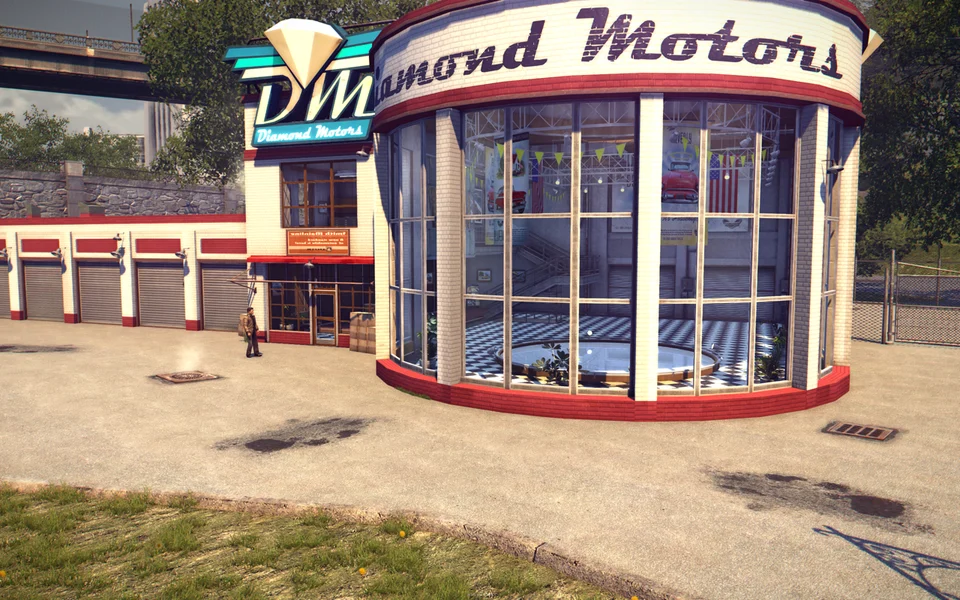
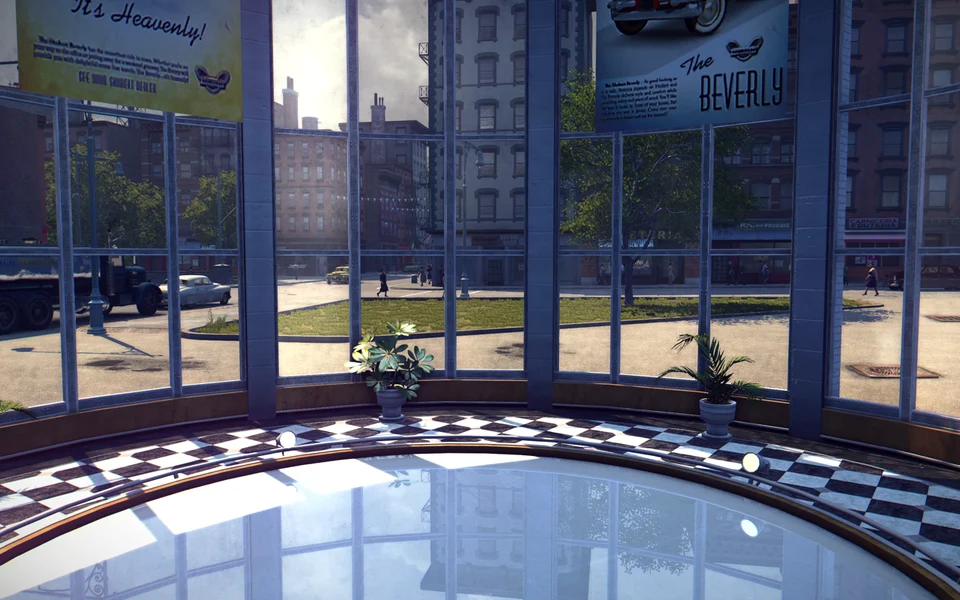
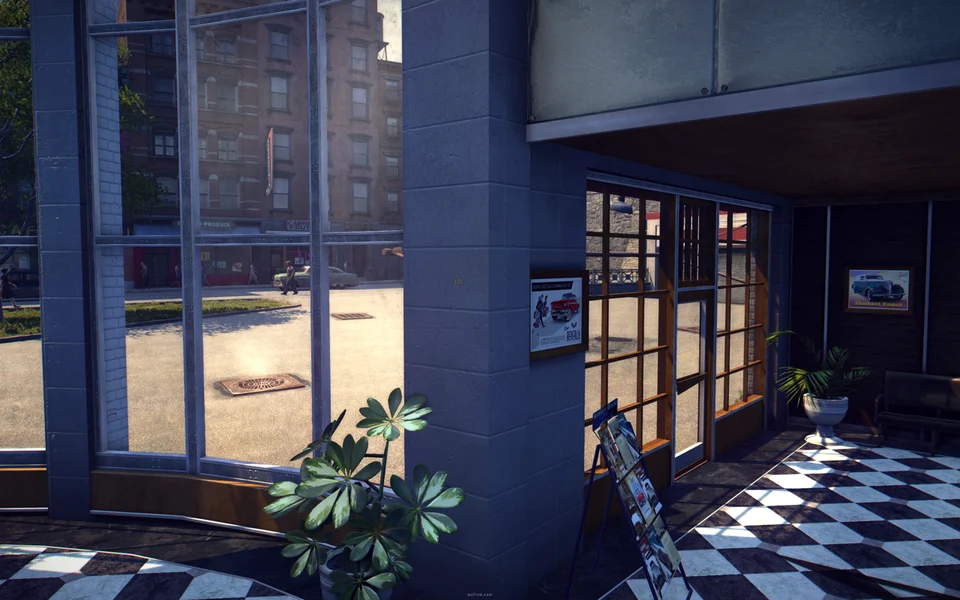
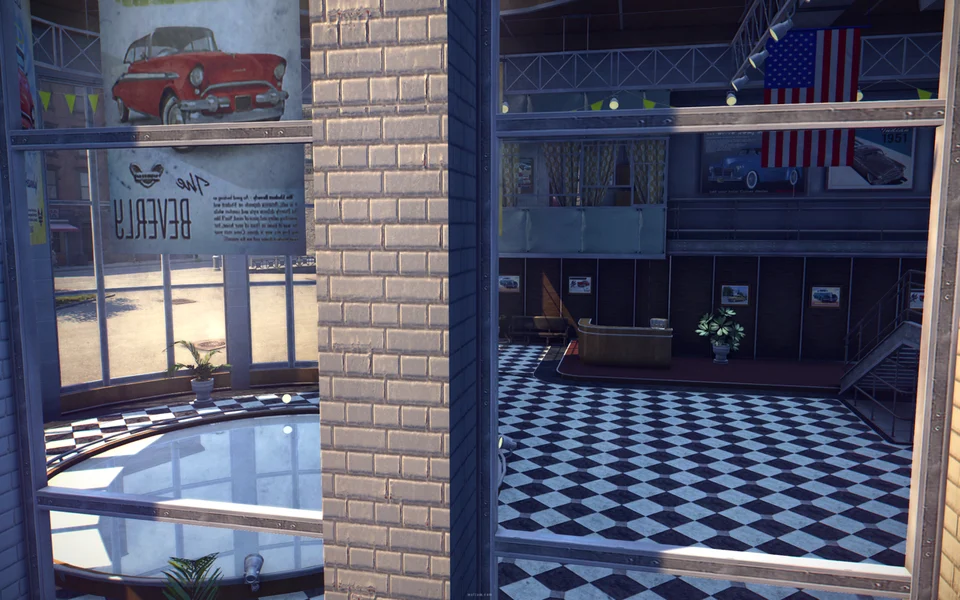
Example: a showroom inside Diamond Motors
The game's carcyclopedia hall, moved into the Diamond Motors building by the Midtown bridge: you walk in through its door, its lights shine, and through its windows you see the real city.
The pack is three files:
dlcpacks/showroom/
  replace/pc/sds/shops/show.sds          the hall, moved and turned (MafiaM Studio --relocate)
  replace/EDIT/tables/StreamMapa.bin     show.sds loaded in free ride
  sds/patches/sds/city/italy.sds.patch   the town's building opened: its frosted glass hidden, the wall across its door taken out
replace/mirrors the game's folder: a file there is read instead of the game's own. A replaced.sdsmust not be bigger than the game's file, or its graphics don't load.- A
.sds.patchchanges only some resources of a game archive (the way the game's own DLCs patch it): a few MB instead of the whole district. - The pack holds the game's own files, so we don't share it: make_pack.py
builds it from your copy of the game. Put it next to
mafiam_studio.exe(MafiaM Studio) and runpython make_pack.py dlcpacks/showroom "D:/Games/Mafia II Definitive Edition". - Your own interiors move the same way:
mafiam_studio --relocate <in.sds> <out.sds> <from x y z> <to x y z> <degrees>turns the archive's frames, light sectors, collisions, physics items and objects about the vertical and puts them at the new place;hide=name,nametakes objects or people out of it.
Console
Type commands in the server's window (help lists them):
players                         who is on the server (id, ping, IP, group)
resources                       which resources run and which don't
start shop | stop shop          start / stop a resource
restart shop                    restart it (ensure shop does the same)
kick 3 reason                   kick (by id or name)
ban 3 60 reason                 ban for 60 minutes (no minutes: for good; name and IP)
unban Vito                      lift a ban (name or IP)
say Restart in 5 minutes        a message to everyone in the chat
setgroup 3 admin                give a group (without one: take it away)
lua shop return #players.all()  run Lua in a resource
quit                            stop the server
Restarting a resource leaves the others alone: everything it made (cars, NPCs, blips, labels, timers, commands,
its database connection) goes away, and its client part reloads in players' games. Edited a script? restart
it, no need to restart the server. Before a resource stops, every resource (itself too) gets the
resourceStop event: the last chance to save data.
Admins and permissions
[groups]
moderator = players, kick       ; permissions, comma-separated
admin = *                       ; * = all of them

[admins]
Vito = admin                    ; player name = group, given when they join
The same commands work in the chat for players whose group has the permission: /kick 3,
/restart shop, /players... The console commands' permissions: players,
resources, kick, ban, say, groups, lua.
Your mode's own commands can ask for any permission name.
Anyone can join under any name. [admins] is fine for testing; on a public server give groups from
your mode after the player has logged into an account: player:setGroup("admin").
Access from the internet
Players connect over UDP to the server's port (27015). Allow it in the Windows firewall and forward it on your router. To play with friends without port forwarding, Radmin VPN or ZeroTier will do.
The launcher shows the server's name, season, player count and ping.
Public server list
Every minute the server tells mafiam.com about itself. The list
checks it with the same UDP query the launcher sends, so the server is listed only when its port is open from the internet.
Players then see it in the launcher's Internet tab. The console shows [master] on the public server list as ...
once it is there.
[master]
enabled=on           ; off: not on the public list (LAN, testing)
;host=my.domain.com  ; when players reach the server by another address (playit.gg, a domain)
On the command line: --master off. The list's API is described at
mafiam.com/docs.